
Buying a Big Screen Tv for another country involves more than choosing the largest display. Screen size, room distance, power compatibility, software access, and after-sales support can change the entire ownership experience. A television that looks impressive in a showroom may feel overwhelming in a small apartment. It may also require a different plug, voltage range, or streaming setup overseas.
This guide presents ten practical buying tips for global customers. It considers panel quality, resolution, HDR performance, refresh rate, HDMI standards, smart-TV regions, shipping protection, and warranty coverage. These details are based on common retail specifications, manufacturer guidance, and real-world setup concerns. Check the product label carefully. Regional models can share a name but use different tuners, apps, or operating systems.
Small details matter. I once underestimated viewing distance and chose a screen that dominated the room more than expected. That mistake was avoidable. Measure twice. Buyers should also confirm return conditions, local repair options, and energy requirements before paying. Some recommendations may not fit every household, especially where internet services or electrical standards differ. That limitation deserves attention. A careful comparison is more reliable than a dramatic discount or a glossy advertisement. With the right checks, international shoppers can select a large television that delivers clear images, practical connectivity, and dependable everyday value.
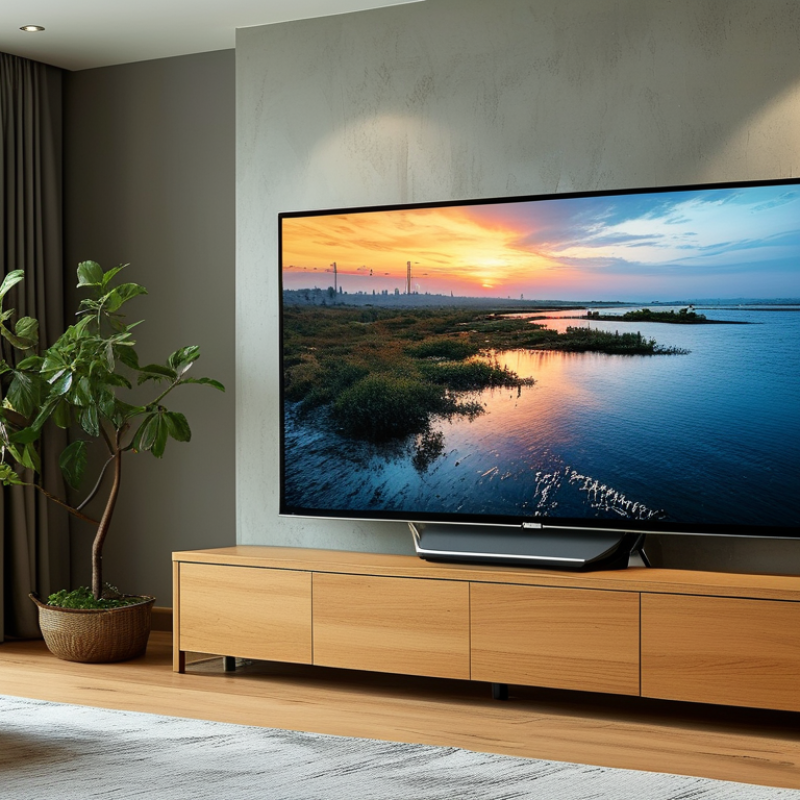
Choosing a large-screen television starts with viewing habits, not room envy. Nielsen’s July 2024 Gauge reported streaming at 41.4% of U.S. television use. However, this figure may not represent every country or household. Measure your real use: films, sports, gaming, news, or shared family viewing. A 65-inch screen can feel excellent for detailed films, yet overwhelming during close-range desktop gaming. Write down your daily distance first. It is more useful than copying a neighbor’s setup.
SMPTE guidance commonly uses a 30-degree horizontal viewing angle for immersive viewing. At 2.5 meters, that angle suggests a screen near 60 to 65 inches. At 3 meters, approximately 75 inches may feel more balanced. These estimates assume a 16:9 screen and ordinary eyesight. They are not absolute rules. A lower-resolution broadcast can look rough when enlarged, especially within two meters. Lighting matters too. Measure from your eyes to the panel, not from the sofa to the wall. Check reflections from windows during daylight. I have found that a “perfect” size can become tiring after an hour. Sometimes, smaller is wiser. Room width, cabinet height, subtitles, and other viewers’ side angles should influence the final dimensions. When comparing international specifications, verify the stated diagonal measurement and local viewing conditions.
Screen size should match both your viewing distance and room layout. The chart shows approximate viewing distances for common 16:9 4K television sizes, based on a 30-degree horizontal field of view.
For smaller rooms, a 55-inch or 65-inch screen can provide an immersive view without requiring excessive seating distance. Larger 75-inch and 85-inch screens are better suited to wider rooms where viewers can sit approximately 3 meters or more away. Also consider wall width, furniture placement, eye level, window glare, subtitles, gaming use, and the number of people watching together.
Choosing a large-screen TV starts with understanding display technology, not screen size alone. OLED panels produce deep blacks because each pixel controls its own light. They suit dark rooms and movie viewing. However, bright static images may require careful use over time. LED-LCD panels usually deliver stronger brightness for sunlit rooms. Models with mini-LED backlights can improve contrast through many local dimming zones.
Picture quality depends on more than contrast. Check skin tones, shadow detail, motion handling, and text clarity using familiar scenes. A useful test is a football match or a night street scene. Look for smooth movement without excessive blur or artificial sharpening. HDR performance also depends on peak brightness and accurate tone mapping. Numbers alone can mislead.
Panel features deserve close attention. Wide viewing angles matter when your sofa sits off-center. Anti-glare treatment helps near windows, but it can slightly soften reflections and fine detail. A 120Hz panel benefits gaming and fast sports, while variable refresh support reduces visible tearing. Confirm the available HDMI ports and their supported formats before buying. I once focused too heavily on brightness and ignored viewing angle, which made side seats disappointing. No panel wins every room. Compare calibrated samples in similar lighting, and accept that personal comfort may outweigh laboratory scores.
Tip: Check resolution against screen size and viewing distance. A large panel viewed closely benefits from 4K detail, while a smaller room may show little improvement. Inspect subtitles, sports lines, and faces in store footage. Higher resolution is not always better. I once focused too much on numbers and ignored comfortable seating distance.
Tip: Refresh rate matters for sports, gaming, and fast action. Look for smooth motion without excessive blur or artificial effects. Confirm whether the stated rate is native or enhanced through software. This difference can be confusing. Ask for the technical menu or official specifications before purchasing. A stable image often matters more than a dramatic figure.
Tip: Test HDR performance in bright and dark scenes. Good HDR needs strong contrast, suitable brightness, and accurate tone mapping. A television may support several HDR formats, but compatibility can vary by region and streaming service. Check local content availability, subtitle options, and language settings. Smart TV compatibility also depends on operating system updates, Wi-Fi standards, and available applications. Make sure the interface supports your preferred services before payment. Internet speed matters, too. A powerful screen cannot fix weak network performance. These checks take minutes and prevent expensive disappointment.
A large-screen television is not automatically a global-ready television. Check its input panel before checking picture quality. HDMI 2.1 supports higher bandwidth, but the connected device must support matching features. Confirm eARC for sound systems, USB playback formats, Ethernet, and dual-band Wi-Fi. ITU’s Facts and Figures 2023 reported 5.4 billion people were online, representing 67% of the world’s population. A stable network connection is therefore essential, not merely convenient.
Regional compatibility needs closer inspection. Broadcast standards differ, including DVB-T2, ATSC, and ISDB-T. A television may display streaming content perfectly but fail to receive local terrestrial channels. Check the tuner specification for the destination country. Menus, subtitles, digital rights, and application availability can also vary by region. I once overlooked the tuner and focused too heavily on resolution. That was expensive learning.
Power requirements deserve equal attention. IEC 60038 identifies nominal voltage families, including 230-volt and 120-volt systems. Confirm the television accepts the local voltage, frequency, and plug configuration. Look for a rating such as 100–240 V and 50/60 Hz. A plug adapter changes the shape, not the voltage. An unsuitable converter can create heat, noise, or failure. The IEA’s Electricity 2024 report forecasts global electricity demand growth of about 4% annually through 2026. Check standby consumption, especially in regions with costly electricity. Keep the original power documentation. Compatibility is rarely perfect.
| No. | Buying Dimension | What to Check | Verified Technical Guidance | Global Compatibility Note |
|---|---|---|---|---|
| 1 | Measure the Room and Viewing Distance | Confirm that the screen size fits the wall, furniture, doorway, and intended seating distance. | For a 4K display, a practical starting point is approximately 1.0 to 1.5 times the screen diagonal. A 65-inch screen has a diagonal of 65 inches, or about 165 cm. | Check dimensions in centimeters and inches because housing size, stand width, and packaging measurements vary by market. |
| 2 | Confirm the Native Resolution | Look for the panel's native pixel resolution rather than an upscaling feature. | Ultra HD 4K normally means 3,840 × 2,160 pixels, totaling approximately 8.3 million pixels. A larger screen benefits from higher resolution at close viewing distances. | Confirm support for local broadcast, streaming, and disc formats; not every source will be delivered in 4K. |
| 3 | Audit HDMI Connectivity | Count HDMI ports and verify the features supported by each individual port. | For modern game consoles and high-frame-rate sources, look for HDMI 2.1 features such as 4K at up to 120 Hz, variable refresh rate, and automatic low-latency mode. HDMI ARC or eARC is used to send audio to a compatible sound system. | Port capabilities may differ between regions and models, so read the detailed port specification instead of relying only on the HDMI version number. |
| 4 | Check Power Voltage and Frequency | Read the input label and manual for rated voltage, frequency, plug type, and power consumption. | Common household supplies include approximately 100–127 V at 50/60 Hz and approximately 220–240 V at 50/60 Hz. A television marked “100–240 V, 50/60 Hz” is designed for a broader electrical range, subject to plug compatibility. | A plug adapter changes the plug shape but does not convert voltage. Use a properly rated transformer only when the product is not compatible with the local supply. |
| 5 | Verify the Broadcast Tuner Standard | Identify the terrestrial, cable, and satellite tuner standards built into the television. | Digital terrestrial standards differ by market, including DVB-T/T2, ATSC 1.0/3.0, ISDB-T, and DTMB. Cable and satellite reception may require separate standards or an external receiver. | A television sold for one broadcast region may not decode over-the-air channels in another region without an external set-top box. |
| 6 | Evaluate Wi-Fi and Ethernet | Check wireless bands, wired network speed, and the location of network ports. | Dual-band Wi-Fi using 2.4 GHz and 5 GHz can improve flexibility. Ethernet is generally more stable for high-bitrate streaming, but the television's port may be limited to 100 Mbps or may support 1 Gbps. | Wireless channel availability and regulatory limits vary by country. Confirm that the television supports the local Wi-Fi configuration. |
| 7 | Check Streaming Platform Availability | Confirm that required applications, languages, payment methods, and content libraries are available in the destination country. | Smart-TV applications are often controlled by country, account region, licensing agreements, and operating-system support. A television can have internet access without offering every local streaming service. | Changing the account region may not unlock services, and virtual private networks may conflict with service terms. An external streaming device can improve flexibility. |
| 8 | Match HDR and Video Formats | Review supported HDR formats, color depth, refresh rate, and input restrictions. | HDR performance depends on the panel's peak brightness, contrast, local dimming, tone mapping, and source compatibility. A label indicating HDR support alone does not guarantee the same brightness or image quality across displays. | Content services, broadcast systems, and game devices may use different HDR formats. Confirm compatibility across the complete source-to-screen chain. |
| 9 | Review Language, Region, and Control Features | Check menu languages, keyboard input, subtitles, voice control, regional settings, and remote-control layout. | User interfaces and voice features can be restricted by sales region. Some televisions also use region-specific app stores, content ratings, date formats, and accessibility settings. | Select the destination country during setup and verify that required languages and accessibility features are listed in the local product documentation. |
| 10 | Confirm Warranty, Certification, and After-Sales Support | Check whether the warranty is local or international and whether service is available in the destination country. | Electrical-safety and radio-equipment requirements differ by jurisdiction. A product may need local conformity markings, approved plug hardware, and region-specific documentation before legal sale or installation. | Imported televisions may have limited parts availability, no in-country repair coverage, or return costs that exceed the shipping savings. |
Practical rule: verify the exact model code, electrical rating, tuner configuration, supported input features, software region, and warranty terms for the destination country before purchase.
A big-screen TV rarely costs only the amount shown online. My first budget was too optimistic. I forgot about delivery stairs, wall mounting, and local taxes. Set a complete budget before comparing screen sizes. Include the TV price, shipping, customs charges, installation, cables, and a suitable power solution. Leave a small emergency margin, because regional fees can change.
Delivery needs careful checking. Measure doorways, elevators, and the wall before ordering. A 75-inch carton may not fit through a narrow hallway. Ask whether delivery includes room placement or only doorstep service. Installation can also vary widely. A professional installer should check wall strength, bracket compatibility, ventilation, and cable routing. Keep these details in writing.
Warranty costs deserve equal attention. Confirm the coverage period, eligible countries, repair process, and transport responsibility. Some warranties exclude accidental screen damage or overseas service. Read the conditions, not just the headline promise. Keep invoices, serial details, and installation records in a safe folder. I once overlooked installation paperwork, which made a later service request slower. That mistake was avoidable.
Prices should be compared in your local currency. Exchange rates can quietly change the final amount. A reliable seller should provide a clear invoice with every charge listed. If one cost remains vague, pause before paying. A cheaper screen may become expensive after delivery, setup, and warranty limits are included.
Accreditations
ISO 9001 Quality Management
HSE Management Compliant
Products and services comply with relevant Australian (AS) and international (ISO, etc.) Standards.
"*" indicates required fields