How to Choose PLA 3D Printing Filament?
Choosing the right Pla 3d Printing filament is not simply a matter of selecting the brightest color. It affects dimensional accuracy, layer bonding, surface texture, print time, and part durability. The market is expanding quickly. Wohlers Associates reported that the global additive manufacturing industry reached approximately $20.0 billion in 2023, showing why material selection deserves more careful attention.
PLA remains popular because it prints at relatively low temperatures and produces crisp details with limited warping. Yet “easy to print” does not mean universally reliable. A spool left near an open window may absorb moisture, creating tiny bubbles, rough walls, and weak layers. Small differences matter. Filament diameter, ovality, pigment, additives, and storage conditions can all change results. ASTM D638 and ISO 527 testing methods offer useful strength references, but supplier data should not be treated as a perfect prediction of every printed part.
A practical evaluation should begin with the intended use. Decorative models need clean surfaces and stable color. Functional prototypes may require stronger blends, higher heat resistance, or better impact performance. Check the technical data sheet, recommended nozzle temperature, tolerance, tensile strength, and drying guidance. Also inspect the spool winding. Poor winding can cause sudden tangles halfway through a twelve-hour print.
There is no universal best filament.
Experienced users often compare two or three brands using the same calibration model. That step can expose disappointing assumptions. A premium label may still perform poorly on a humid day. This guide explains how to compare PLA formulations, verify supplier claims, and choose filament based on evidence rather than packaging promises.
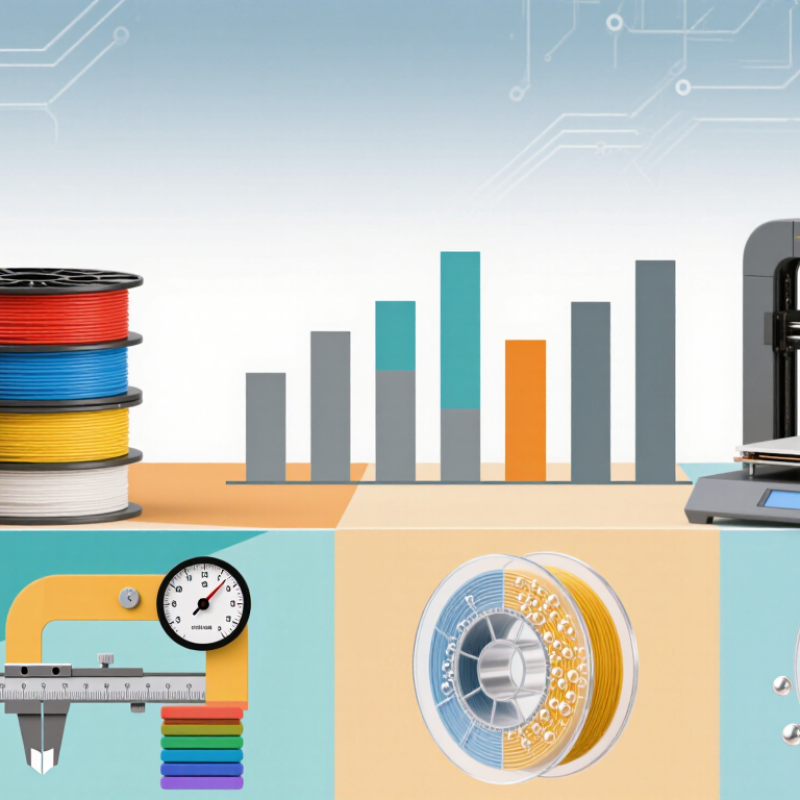
PLA Filament Fundamentals: PLA, Density 1.24 g/cm³, and Tg 55–65°C
How to Choose PLA 3D Printing Filament?
PLA Filament Fundamentals: PLA, Density 1.24 g/cm³, and Tg 55–65°C
Choosing PLA filament starts with understanding its behavior, not only its color or price. PLA is a widely used thermoplastic for prototypes, models, and light-duty parts. Its typical density is 1.24 g/cm³. This means a printed part usually feels denser than many other common plastics. Density also helps estimate material usage. However, the value is not perfectly fixed. Fillers, pigments, moisture, and measurement methods can change it slightly.
The glass transition temperature, or Tg, is usually 55–65°C for PLA. Around this range, PLA begins losing stiffness and becomes easier to deform. Tg is not the printing temperature. It is a warning about service conditions. A part inside a hot vehicle may bend even when the print looks excellent. In practical testing, cooling, layer direction, and wall thickness also affect performance. I once chose PLA for a bracket near a warm motor. That shortcut failed. The bracket softened after repeated use. A more heat-resistant material would have been safer.
Tips: Check the filament’s technical sheet before buying. Keep the spool dry, because moisture can cause bubbles and rough surfaces. Compare density when estimating costs. Test a small sample under real conditions. PLA is forgiving, but not universally suitable.
Match Filament Diameter: 1.75 mm or 2.85 mm with ±0.05 mm Tolerance
How to Choose PLA 3D Printing Filament?
Filament diameter directly controls how much PLA enters the nozzle. Most desktop printers use 1.75 mm filament, while some systems require 2.85 mm. Never interchange them casually. A 1.75 mm spool should measure between 1.70 and 1.80 mm when tolerance is ±0.05 mm. For 2.85 mm filament, the acceptable range becomes 2.80–2.90 mm. Small variations can cause under-extrusion, weak layers, or rough surfaces. The Wohlers Report 2024 valued the global additive manufacturing industry at $20.035 billion in 2023, with 13.5% growth. At this scale, basic material control still matters. Bigger technology does not remove small printing errors.
Tips: Measure filament at several points with a digital caliper. Rotate the filament before measuring. Avoid squeezing it. Record the widest and narrowest readings. Check the printer profile too. The correct diameter can still print badly with the wrong extrusion setting.
A practical test is simple: print a thin-wall cube and inspect its corners. If the flow looks uneven, check diameter before changing temperature. I once blamed temperature first; that was probably the wrong assumption. Diameter is not perfectly uniform along every spool. Storage also matters, although moisture usually affects PLA more than diameter. A reliable supplier should publish tolerance data and testing methods, not only attractive color photos.
How to Choose PLA 3D Printing Filament?
Match the filament diameter to your printer: 1.75 mm or 2.85 mm. A ±0.05 mm tolerance means the actual filament diameter should remain within the acceptable range shown below.
Selection guide: Use 1.75 mm filament for printers designed for 1.75 mm filament, and 2.85 mm filament for printers designed for 2.85 mm filament. These diameters are not interchangeable without compatible hardware.
Select Printing Temperatures: Nozzle 180–220°C and Bed 20–60°C
Choosing PLA filament begins with its recommended temperature range, but the label is only a starting point. Nozzle temperature usually falls between 180 and 220°C. Lower settings can preserve sharp edges and reduce stringing. Higher settings may improve layer bonding and flow. I normally begin near the middle, then print a small temperature tower. Start near the middle. This reveals changes between blocks. Look closely at bridges, corners, and thin lettering. A glossy surface is not always a stronger surface.
The print bed can remain at 20–60°C, depending on the printer, room, and filament blend. On a warm, draft-free machine, PLA may adhere well to an unheated bed. In a cool room, 40–60°C often reduces corner lifting. Clean the surface first. A thin first layer matters. I check its lines by eye; they should touch without looking squeezed flat. If the nozzle drags, the bed may be too close, or the temperature may be too high. This is where my first setting is often wrong.
Change one variable at a time. Raise the nozzle by 5°C when layers split or extrusion looks rough. Lower it when strings appear between small towers. Adjust bed temperature in 5–10°C steps. Keep fan speed, layer height, and print speed consistent during testing. Record the room temperature too. Room conditions matter. PLA behaves differently beside an open window. A reliable choice comes from repeatable tests, not a single successful cube. Recheck settings after changing the spool or nozzle diameter.
Compare PLA Grades by Strength, Flexibility, Finish, and Biodegradability
PLA filament is not a single performance category. A 2014 ASME study measured PLA tensile strength from about 40 to 65 MPa, depending on print settings and specimen direction. Layer bonding matters as much as the spool’s label. For brackets, choose a higher-strength grade and use thicker walls. Standard PLA offers a stiff feel, but its elongation often remains near 2–10%. It can crack suddenly under impact. Toughened grades usually flex further, although they may lose some surface sharpness.
Finish also reflects temperature control. A 2022 review in Additive Manufacturing links nozzle temperature, cooling, and crystallinity with PLA’s surface quality and mechanical behavior. Lower cooling can improve layer fusion, but it may soften small details. That trade-off is easy to underestimate. Matte grades hide ridges better, while glossy grades reveal every uneven line. I have found that a clean first layer often improves appearance more than an expensive filament.
Biodegradable does not mean quickly compostable anywhere. European Bioplastics’ 2023 market report identifies PLA as a major bioplastic, while EN 13432 requires controlled industrial composting conditions for certified compostable products. Backyard soil may leave a printed part largely unchanged for years. Check the grade’s test evidence, not only its material name. A tensile chart is useful, but real prints still deserve a small stress test.
Verify Spool Quality: Moisture, Ovality, Tolerance, and Packaging Standards
How to Choose PLA 3D Printing Filament?
Good PLA starts with a reliable spool, not a colorful label. Moisture is a common problem. Damp filament may hiss, pop, or create tiny gaps during extrusion. Check for brittle sections and cloudy surfaces. A dry box can help, but drying temperatures must follow the supplier’s technical sheet. Excessive heat may deform the filament.
Diameter consistency matters just as much. For 1.75 mm filament, measure several points with a quality caliper or micrometer. Compare the results with the published tolerance, such as ±0.02 mm or ±0.05 mm. Do not trust one measurement. Ovality can hide under a normal average diameter and cause uneven feeding. In practice, testing along the entire spool is better, although rarely convenient. That is an honest limitation.
Tips: Choose packaging with an airtight seal, desiccant, production date, lot number, and clear diameter information. Inspect the spool for crushed edges or loose winding. A neatly wound spool reduces tangles, but it does not prove the polymer is dry. Store opened filament in a sealed container with fresh desiccant. Record print temperature, moisture symptoms, and measurement results. Your first inspection may be incomplete. Improve it with every spool.